


- 版本 [version]
- 下载 118
- 文件大小 37717
- 文件计数 1
- 创建日期 2026年2月28日
- 最后更新 2026年9月20日
镜头切换(直观调整简单好用) Qwen-Image-Edit-2511
这是一份开箱即用的视角控制工作流(FLUX Kontext、Qwen-Image),拖入 ComfyUI 即可运行,全图 30 节点 / 30 连线。核心流程 FluxKontextMultiReferenceLatentMethod ×2、LoraLoaderModelOnly ×2、VAEEncode ×1,输出图像,参数已调好,替换输入图即可复现效果。主模型 qwen_image_vae.safetensors、qwen_2.5_vl_7b_fp8_scaled.safetensors。下载后直接导入即可使用,建议显存 12GB 起(建议 16GB 以上)。
- 主模型:qwen_image_vae.safetensors、qwen_2.5_vl_7b_fp8_scaled.safetensors
- 核心节点:FluxKontextMultiReferenceLatentMethod ×2、LoraLoaderModelOnly ×2、VAEEncode ×1
- 输出形式:输出图像
- 规模:30 节点 / 30 连线
- 建议显存:12GB 起(建议 16GB 以上)
- 适用场景:相机机位、角度与多视角一致性控制,一张图出多机位成片。
资源头图

工作流节点图
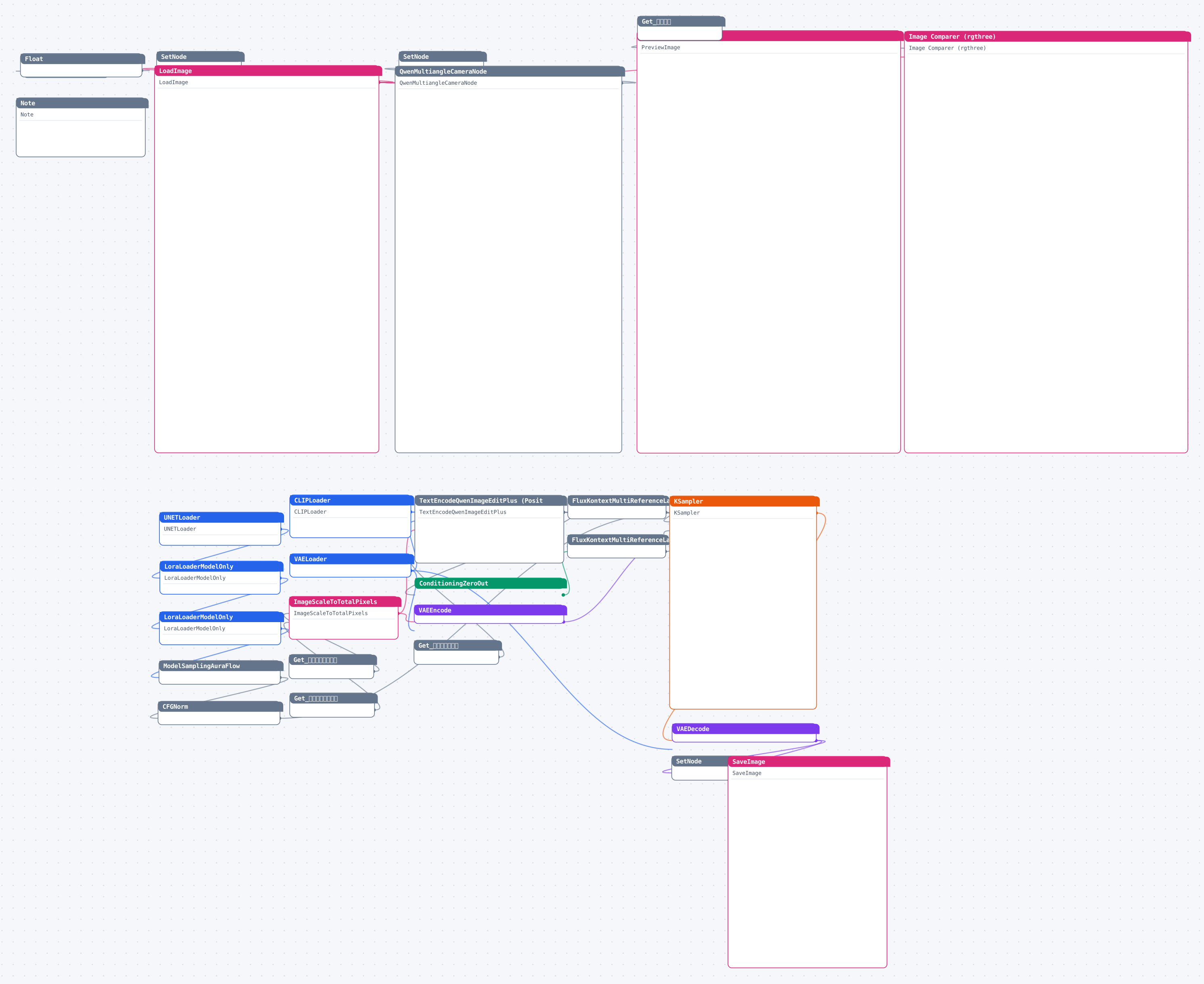
图较大可横向滚动;点击图片查看高清矢量原图(浏览器中可自由缩放)。
使用说明
下载工作流文件后在 ComfyUI 中直接拖入画布(或菜单 Load 导入)即可运行;缺失的自定义节点用 ComfyUI Manager 一键安装,模型按文件名放入对应的 models 目录。
源码预览
{
    "id": "7373a0fd-b9c5-4150-a918-0f8dd77c05b3",
    "revision": 0,
    "last_node_id": 36,
    "last_link_id": 44,
    "nodes": [
        {
            "id": 21,
            "type": "SetNode",
            "pos": [
                2305.538818359375,
                1220.5721435546875
            ],
            "size": [
                210,
                60
            ],
            "flags": {
                "collapsed": true
            },
            "order": 29,
            "mode": 0,
            "inputs": [
                {
                    "name": "IMAGE",
                    "type": "IMAGE",
                    "link": 26
                }
            ],
            "outputs": [
                {
                    "label": "输出",
                    "name": "*",
                    "type": "*",
                    "links": null
                }
            ],
            "properties": {
                "previousName": "生成结果",
                "widget_ue_connectable": []
            },
            "widgets_values": [
                "生成结果"
            ],
            "color": "#2a363b",
            "bgcolor": "#3f5159"
        },
        {
            "id": 19,
            "type": "SetNode",
            "pos": [
                1028.88037109375,
                -525.8072509765625
            ],
            "size": [
                210,
                60
            ],
            "flags": {
                "collapsed": true
            },
            "order": 13,
            "mode": 0,
            "inputs": [
                {
                    "name": "IMAGE",
                    "type": "IMAGE",
                    "link": 23
                }
            ],
            "outputs": [
                {
                    "label": "输出",
                    "name": "*",
                    "type": "*",
                    "links": null
                }
            ],
            "properties": {
                "previousName": "【总控】输入图片",
                "widget_ue_connectable": []
            },
            "widgets_values": [
                "【总控】输入图片"
            ],
            "color": "#2a363b",
            "bgcolor": "#3f5159"
        },
        {
            "id": 17,
            "type": "SetNode",
            "pos": [
                1629.2530517578125,
                -526.02685546875
            ],
            "size": [
                210,
                60
            ],
            "flags": {
                "collapsed": true
            },
            "order": 20,
            "mode": 0,
            "inputs": [
                {
                    "name": "STRING",
                    "type": "STRING",
                    "link": 21
                }
            ],
            "outputs": [
                {
                    "label": "输出",
                    "name": "*",
                    "type": "*",
                    "links": null
                }
            ],
            "properties": {
                "previousName": "【总控】提示词",
                "widget_ue_connectable": []
            },
            "widgets_values": [
                "【总控】提示词"
            ]
        },
        {
            "id": 31,
            "type": "SetNode",
            "pos": [
                699.2369995117188,
                -518.8573608398438
            ],
            "size": [
                210,
                58
            ],
            "flags": {
                "collapsed": true
            },
            "order": 16,
            "mode": 0,
            "inputs": [
                {
                    "name": "FLOAT",
                    "type": "FLOAT",
                    "link": 38
                }
            ],
            "outputs": [
                {
                    "label": "输出",

… (完整内容请下载文件查看)
代码较长,以上仅前 3800 字符 —— 点击下方按钮下载完整 JSON。
